
Instant Setup
Sign up and start building in minutes. No complex onboarding — just drag, drop, and display.
We use cookies to enhance your browsing experience, provide personalized content, and analyze our traffic. By clicking "Accept All", you consent to our use of cookies. You can customize your preferences by clicking "Manage Preferences".
Read our Privacy Policy and Terms of Service.
WidgitBoard is cloud-based digital signage software that turns any TV, Amazon Fire Stick, or web browser into a professional display — no special hardware required.
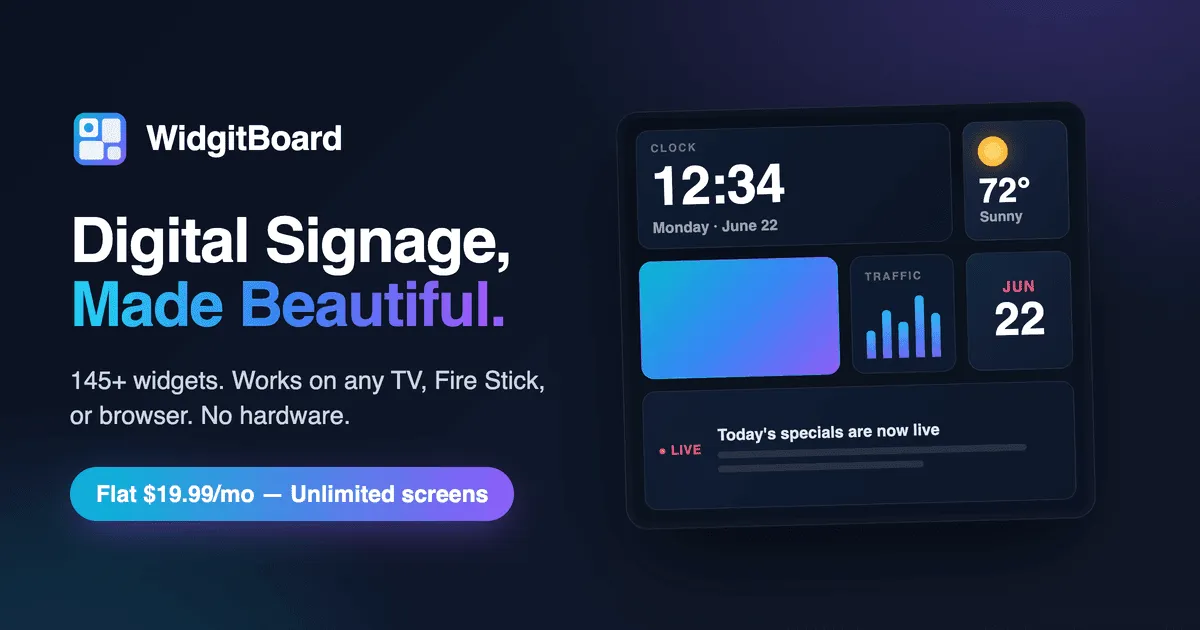
Create stunning displays with 145+ widgets, custom API integrations, social media feeds, video backgrounds, and auto themes. Starting at just $19.99/month.
Just $19.99/mo•Unlimited displays•Cancel anytime
Drag & drop editor with real-time preview
Drag widgets onto the canvas below — your work saves automatically
Real examples for every industry — with live widgets
A5 Japanese Wagyu, truffle pomme purée, red wine reduction
A5 Japanese Wagyu, truffle pomme purée, red wine reduction
Connect to ANY API. Custom templates with {{placeholders}}, headers, auth tokens. Full creative control.
Google Sheets, Airtable, Notion, webhooks. Pull live data from spreadsheets and databases.
Reddit, Discord, GitHub, Twitter, Hacker News, YouTube channels, and podcast players.
Leaderboards, team directories, announcements, events, KPI counters, and system status.
Bible verses, prayer times, daily devotionals, Torah portions, saint of the day, and hymn lyrics.
Flashcards, math problems, periodic table, language learning, science facts, and book recommendations.
Trivia, riddles, horoscopes, fortune cookies, memes, magic 8-ball, virtual pets, and more.
Live scores, team standings, game schedules, sports news, and fitness tracking.
Every widget has step-by-step setup guides. Press ? anytime for app-wide help and keyboard shortcuts.
Flip cards, tabbed content, card grids, timelines, data tables, comparison charts, and scorecards.
True fullscreen with zero UI distractions. Perfect for production displays and digital signage.
Customize ANY widget - colors, fonts, borders, opacity, padding. Make it truly yours.
Toggle between visual editor and raw HTML code. Power users can write custom CSS and HTML styling directly.
One-click text styles: Gradient headers, neon glow, elegant gold, modern dark, and more beautiful presets.
Bold, italic, underline, text colors, font sizes, and alignment. Full WYSIWYG editing in the widget config.
Seamlessly switch between visual editor and code view. Edit HTML, then preview changes instantly.
Set it and forget it. Your displays automatically switch between layouts based on time of day, day of week, or specific dates.
Set when each layout displays
Breakfast menu at 6am, lunch at 11am, dinner at 4pm - all automatic. Your displays change without lifting a finger.
Set recurring weekly schedules or one-time events for holidays, promotions, and special occasions.
Perfect for nightclubs and 24/7 venues. Schedule content from 10pm to 4am - we handle the midnight crossover.
When schedules overlap, higher priority wins. Special event? Set it to priority 10 to override daily schedules.
Design different layouts for breakfast, lunch, dinner, or any time slot.
Click the calendar icon in the editor to open the visual schedule editor.
Drag to set times, pick days, and assign each layout to its time slot.
Your displays automatically switch content at the scheduled times.
Manage multiple displays from a single account. Each screen gets its own URL with unique content. Perfect for multi-location businesses.
Manage all your screens in one place
widgitboard.com/display?id=lobby-mainwidgitboard.com/display?id=conf-awidgitboard.com/display?id=cafe-menuEach display gets its own URL. Just open that URL on any browser - TV, tablet, Raspberry Pi, or digital signage player.
Lobby shows welcome messages, cafeteria shows menus, conference rooms show schedules. Each screen is independent.
Update any display remotely. Change content from your phone, laptop, or any device with a browser.
Each display gets a unique URL. Just type it into your TV, Fire Stick, or Raspberry Pi browser and you're live.
Perfect for:
Design unique layouts for each display location in the drag-and-drop editor.
Click the monitor icon in the toolbar and name each display (Lobby, Cafeteria, etc).
Assign the appropriate layout to each display. Change anytime with a dropdown.
Type the display URL into the browser on your TV, Fire Stick, or Raspberry Pi. You're live!
Keyboard shortcuts, command palette, and professional editing tools that make you faster than ever.
Made a mistake? Undo up to 50 actions. Experiment freely knowing you can always go back. Cmd+Z / Cmd+Shift+Z.
Press Cmd+K to access any action instantly. Create layouts, add widgets, navigate - all from your keyboard.
Copy, paste, duplicate, delete, lock widgets - all with keyboard shortcuts. Press ? to see them all.
Shift+Click to select multiple widgets. Move, delete, or duplicate them all at once. Drag to box-select.
Copy widget configurations and paste them anywhere. Works across layouts. Cmd+C, Cmd+V - just like you'd expect.
Right-click any widget for quick actions: configure, duplicate, lock, bring to front, send to back, delete.
Professional-grade canvas controls for creating perfectly aligned, polished displays.
7 zoom levels from 0.25x to 2x. Scroll to zoom in and out, or pinch to zoom on touchscreens. See the big picture or fine details.
12-column grid system for perfect alignment. Toggle visibility, adjust row count. Widgets snap to grid.
Pixel rulers on canvas edges. Alignment guides appear when widgets line up. Precision without the hassle.
Lock widgets to prevent accidental moves. Lock your background, then freely edit foreground elements.
Switch orientation with one click
Instantly switch between 16:9 landscape and 9:16 portrait modes. Your widgets automatically reposition and scale proportionally. Perfect for vertical menu boards or horizontal lobby displays.
Full tablet & mobile support
Pinch to zoom, two-finger pan, long-press for context menu. Design on iPad or any touch device with natural gestures. Haptic feedback on supported devices.
Webhooks, custom APIs, content rules, and emergency alerts for enterprise-grade digital signage.
Real-time data from any source
Override display for critical messages
Conditional content triggers
Connect to ANY REST API
Install like a native app, works without internet, auto-updates in the background.
Full functionality without internet. Your displays keep running even if WiFi goes down.
Add to home screen on any device. Runs like a native app - no browser chrome.
New features and fixes delivered automatically. No manual updates needed.
Works with localStorage - no sign-up needed. Or sync to cloud with Firebase account.
Auto-rotate layouts
Cycle through multiple layouts automatically. Set interval from 10 seconds to 5 minutes. Smooth fade transitions between layouts.
One-click theme presets, custom backgrounds, Google Fonts, and automatic day/night switching.
Set different themes for day and night. Automatically switches based on sunset time at your location.
20+ curated fonts including Roboto, Playfair Display, Montserrat, and system fonts. Applied globally.
Solid colors, gradients, or images. Video backgrounds supported. Blur, opacity, and positioning controls.
Weather, UV index, air quality, sun times, and more — all automatically tuned to your exact location. One click or manual entry. Your choice.
Allow browser location and every widget instantly knows where you are. No API keys. No typing. Just click "Allow" and you're done.
Prefer precision? Type an address or enter exact latitude and longitude coordinates in Account Settings. Perfect for fixed signage installations.
Join our community of creators. Share your designs with the world and discover amazing templates made by others.
Built something amazing? Share it with the community in one click. Help others get started faster and showcase your design skills.
Browse hundreds of community templates. Find the perfect starting point for lobbies, restaurants, schools, retail, and more.
From social media feeds to custom API integrations. Mix and match to create the perfect display.
Built for simplicity, designed for everyone. No barriers to getting started.
Sign up and start building in minutes. No complex onboarding — just drag, drop, and display.
One plan, one price. $19.99/month gets you unlimited displays, all 145+ widgets, and priority support.
Your displays run on Google Cloud infrastructure with enterprise-grade security, automatic backups, and 99.9% uptime.
Get your digital signage up and running on any screen. Choose the method that works best for your setup and budget.
Modern smart TVs (Samsung, LG, Sony) have built-in web browsers. Simply navigate to your display URL on the TV's browser.
Install "Silk Browser" or "Firefox for Fire TV" from the Amazon App Store. Navigate to your display URL and bookmark it.
Use Raspberry Pi 4 with Chromium in kiosk mode. Auto-start script launches browser on boot for hands-free operation.
For a clean, distraction-free display, enable Kiosk Mode. Press Ctrl+Shift+K or click the Kiosk button in the editor toolbar. This hides all UI elements for a true fullscreen signage experience.
Real features, real value — here's what sets Widgitboard apart
145+ built-in widgets — more than almost any competitor, all included in every plan. No marketplace, no add-on fees.
Massive Widget Library
Built-in, not add-ons · Feature
$19.99/month flat rate for unlimited screens — competitors charge $8–25 per screen. One price, everything included.
Unbeatable Pricing
Flat rate, unlimited screens · Pricing
Works on any device with a browser — Smart TVs, Fire Sticks, tablets, Raspberry Pi. No proprietary hardware required.
Universal Compatibility
Any screen, any device · Platform
PWA with offline mode — install as an app, and your displays keep running even without an internet connection.
Offline-Ready PWA
Install as an app, works offline · Editor
Don't have time to build it yourself? Tell us what you need and our team will design a professional, ready-to-use board for your business.
one-time payment
Create professional digital signage in minutes, not hours. Just $19.99/month.
$19.99/mo • Unlimited displays • Cancel anytime • View pricing